Simple Theme Toggle With Vanilla JS
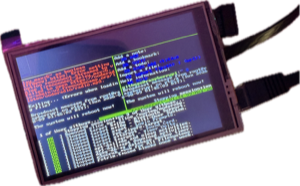
When you jack-in this site goes from paper to terminal (monospace everything, Dracula colors, etc). Jack-out and you’re in light mode. There’s no library behind it’s less than 30 lines of vanilla JavaScript and most of the work isn’t in the JavaScript at all.
CSS Is the Magic
Instead of writing a toggle that swaps a milliong things in JS, I just declared the palette once and let CSS pick a side.
:root {
  color-scheme: light dark;
  --bg: light-dark(#f9f5ff, #282a36);
  --fg: light-dark(#282a36, #f8f8f2);
}
light-dark() reads the value that matches the current color-scheme, so every color in my stylesheet is written once instead of twice. The JavaScript sets one attribute on <html> and CSS reacts.
Three States Instead of Two, Though
A good theme toggle has three states, not two:
- dark, because the user picked dark
- light, because the user picked light
- whatever the operating system says, because the user hasn’t picked anything
The third one is the default and it’s the one people forget. If the user hasn’t picked a mode, your site should follow their system setting and keep following it, even if they change it while the page is open.
So a picked theme is an attribute on the root element, and no attribute means “ride the system”:
@media (prefers-color-scheme: dark) {
  :root:not([data-theme="light"]) {
    /* terminal styles */
  }
}

:root[data-theme="dark"] {
  /* terminal styles */
}
The :not([data-theme="light"]) does the heavy lifting so the system preference applies unless the user has explicitly asked for light.
No Flashbang

If you set the theme after the page loads, dark-mode users get a face full of white for one frame. A tiny blocking script in <head>, before any CSS fixes that:
<script>
  // set the theme before first paint so there is no flashbang
  (function () {
    try {
      var t = localStorage.getItem("theme");
      if (t === "light" || t === "dark")
        document.documentElement.dataset.theme = t;
    } catch (e) {}
  })();
</script>
This is the one place I’ll take a render-blocking script, because it has to run before the browser paints anything. It’s four lines and it never touches the network.
The try/catch earns its keep. Some browsers block localStorage in a private window, and this keeps the rest of the script running anyway.
The Toggle Itself
var btn = document.querySelector("[data-theme-toggle]");
var root = document.documentElement;
var prefersDark = window.matchMedia("(prefers-color-scheme: dark)");

function isDark() {
  return root.dataset.theme
    ? root.dataset.theme === "dark"
    : prefersDark.matches;
}

btn.addEventListener("click", function () {
  var next = isDark() ? "light" : "dark";
  root.dataset.theme = next;
  try {
    localStorage.setItem("theme", next);
  } catch (e) {}
  label();
});
isDark() is the meat & potatoes. If the user has picked something, use that. Else, ask the system. That one function is what makes the three states work. Tada!
The Button Has to Say What It Does
A toggle that’s just an icon is so not a11y. Mine changes its text and tells assistive tech what state it’s in:
function label() {
  var on = isDark();
  btn.textContent = on ? "jack-out" : "jack-in";
  btn.setAttribute("aria-pressed", on ? "true" : "false");
  btn.setAttribute(
    "aria-label",
    on ? "jack out to light mode" : "jack in to the terminal",
  );
}
It’s a real <button> with aria-pressed, so it’s keyboard reachable and a screen reader announces it as a pressed or unpressed toggle. That’s most of the accessibility work right there, and it’s free if you use the right element to begin with.
Follow the System While It’s Still Following
If the user hasn’t picked a theme and they flip their OS to dark at sunset, the page should follow along. The CSS handles the colors on its own, and the button label needs to listen:
function onSchemeChange() {
  if (!root.dataset.theme) label();
}

// addListener is the pre-2020 safari spelling
if (prefersDark.addEventListener) {
  prefersDark.addEventListener("change", onSchemeChange);
} else if (prefersDark.addListener) {
  prefersDark.addListener(onSchemeChange);
}
The if (!root.dataset.theme) is important. Once a user has picked, their pick wins and the system doesn’t get to override it.
What Happens with JS Off
The site still works without JS. light-dark() and prefers-color-scheme are pure CSS, so a user with JavaScript disabled gets a correct light or dark site based on their system setting. They just don’t get a cool button to override it.
The test I’d apply to any progressive enhancement is to turn the JavaScript off and see whether you broke the page or only removed a convenience.
So ~six lines in the head, ~thirty in JS, and one CSS function making magic. THere’s really nothing to update when a package deprecates something.
Turn it on and off a few times. It’s the only interactive thing on this site and it’s fun! yayY!